


Total Washout: Surf Arcade
4.7146.00 Reviews
App Specs
- Version
- 1.3.1
- Updated On
- License
- Free
- Downloads
- 10,000+
- Developer
- Super Smith Bros LTD
- Categories
- Action
- Platform
- Android
Screenshots

 Analysis by AppCompare
If you share a phone or tablet, a quick arcade game can become a small household activity: one person takes a turn, someone else watches, and the device goes back on the table. Total Washout: Surf Arcade sounds suited to that kind of brief handoff, with its action-game focus and surfing theme. I’d treat it as a casual option for short breaks rather than assume it will work as a deep, long-session game. That distinction matters when several people use the same screen and want to know what they are picking up.
A game that fits between everyday tasks
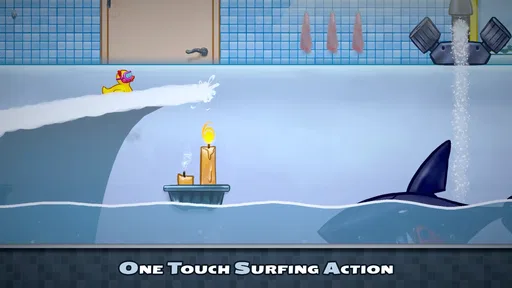
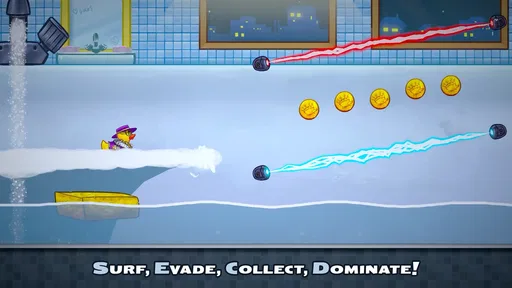
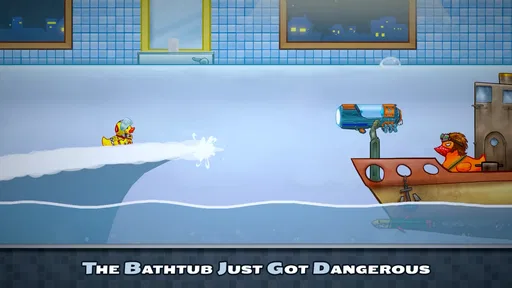
The premise is easy to explain to another player: steer through a playful surf setting, react quickly, and try to improve a run. Its bathtub-and-bullet-hell twist gives the action a sillier feel than a traditional sports simulation. That makes it a natural candidate for a few turns while waiting for food, winding down after school, or filling a quiet stretch at home. I would not choose it when someone wants a realistic surfing lesson or a slow, story-led adventure; its appeal is in quick reactions and lively arcade action.
For a shared device, the most useful habit is to agree on whose turn it is and avoid treating a score or run as something everyone must beat. That keeps a casual session friendly, particularly when players have different reaction speeds. The touch-first style also makes it easier to pass the device around than a game built around a controller, although a player still needs enough time and attention to follow the action. If the room is noisy or people are talking over one another, a turn may be less satisfying than playing alone for a few focused minutes.
Keep shared-device expectations simple
Before handing the device to someone else, I’d make a simple distinction between taking a turn and changing anything on the device. A game session on a household phone or tablet is not the same thing as a separate personal account, and I would not assume that different players automatically get individual progress or preferences. If several people care about keeping their own achievements separate, check how the game behaves on the device before making that a shared expectation. This is a practical point, not a reason to avoid a quick try.
It also helps to decide whether the device is being used with sound on. The colorful action may be enjoyable to watch, but audio can be disruptive in a quiet room or around someone who is working. A short, agreed turn with the volume set for the situation is often better than letting the game become an open-ended background activity. I’d especially use that approach on a family tablet that is also needed for homework, calls, or other shared tasks.
Who is likely to enjoy the action
This is most appealing to people who like immediate arcade feedback: make a quick move, see whether it worked, and try again. It can suit a casual player who wants a lively distraction without first learning a complicated set of rules. It may also work as a low-pressure way to introduce someone to action games, provided they are comfortable with fast visual movement and touch controls. The ocean-and-bathroom oddness gives the idea a memorable personality, rather than making it feel like another serious sports title.
On the other hand, I would steer away from it for someone who dislikes rapid reactions, gets frustrated by touch input, or wants a game that rewards careful planning over split-second choices. The broader action category includes slower tactical games and more substantial adventures; those are better picks if the player wants time to think between moves. A conventional surfing game would also be a better fit for someone primarily interested in boards, waves, and sport-like handling rather than an exaggerated arcade challenge.
Worth Reading Before You Choose

Baby Panda World Brings Quick Play to Modern Phones, but Its Game Library Feels Busy

ESPN’s Live Game View Makes Following Close Games Easier

QuizzLand Review: A Good Fit for Short Trivia Breaks, Not Every Player

Basketball Stars: Multiplayer Is Fast, but Can It Recover When Matches Go Wrong?

WEBTOON Turns Phone Updates Into a Better Reading Routine

Link to Windows Runs on Shared Habits, Not Social Feeds
What to check before making it a regular pick
The game is free to download, but it includes optional in-app purchases priced from $1.99 to $10.99 per item. In a shared household, I’d make sure everyone understands that “free” describes the download, not necessarily every possible purchase. Keep payment decisions with the person responsible for the device, and agree on that boundary before passing it to younger players. That small conversation prevents a casual game from becoming an unexpected spending question.
It is rated Everyone, which makes its age context broad, but an age label does not tell you whether a particular child enjoys busy action or handles competitive play well. I’d watch a first session together if I were unsure, then decide whether the pace and screen time suit that person. The game’s action framing is more relevant to that judgment than the mere fact that it is available to play. For a child who finds rapid movement uncomfortable, a calmer game is the more considerate choice.
Practical turns, not household account management
A useful way to try it together is to set a natural stopping point before the first run: one attempt each, or a short round of turns, then hand the device back. This avoids the familiar “just one more” drift and makes it easier to compare how different people approach the same action. One player may react instinctively; another may prefer to pause and watch the screen before moving. Noticing that difference can make the game more fun than simply chasing a better result.
If a player is new to touch games, let them explore the controls without an audience first. The short description promises wave-drawing and evasive action, so the central challenge is likely to depend on reading movement and responding at the right moment. A beginner may need a little room to find a comfortable grip and pace. I would not turn early mistakes into a competition; a game that is meant to be a quick diversion loses its charm if every attempt becomes a test.
For anyone deciding whether to install it on an older device, the minimum operating system is 11. The current release is version 1.3.1, and the game comes from Super Smith Bros LTD. It has a 4.7 average from around 240 ratings, with more than 10,000 installs. Those figures suggest that it has found an audience, but they cannot tell you whether its particular style of quick action will suit your household. I’d use them as context, then make the decision based on the player’s taste and the device’s software compatibility.
How it feels beside other mobile action games
Compared with a typical action game built around long levels, elaborate upgrades, or a dramatic campaign, this one is easier to approach as a burst of arcade play. That can be an advantage when a shared device is only available in short windows. The trade-off is that anyone looking for a persistent world or a carefully developed storyline may find the format too light. Its unusual surf-and-bath setup gives it a distinctive hook, but novelty alone will not replace depth for players who want a bigger commitment.
It also differs from a sports simulation. I would not pick it to learn how surfing works or to recreate the measured pace of riding a real wave. The attraction is the exaggerated action and the need to react, not sports authenticity. Against puzzle games, it asks more of reflexes and moment-to-moment attention, so a puzzle alternative is likely better for someone who wants a calmer activity that can be paused while they think.
Small trade-offs that shape the experience
Fast touch play can be satisfying when a gesture lands cleanly, but it can also make a missed input feel personal. If the screen is being shared, smudges, an awkward grip, or a player holding the device at a different angle can make a turn feel less comfortable. I’d pass it carefully and give each person a moment to settle their hands before starting. That is a simple, practical adjustment, especially when the device is larger than a phone.
Another trade-off is attention. A lively action game is not ideal when someone needs to keep half an eye on a conversation, supervise another task, or respond to interruptions. In those moments, a turn-based or pause-friendly alternative is kinder to the player and everyone nearby. The game makes more sense when the person holding the screen can focus for a short stretch, even if the overall session stays brief.
What a first session can tell you
Rather than deciding from the theme alone, I’d use the first few turns to answer practical questions: does the player understand how to respond, do they enjoy the speed, and does the device feel comfortable in their hands? If the answers are mostly yes, it is a reasonable choice for occasional breaks. If the controls feel unpredictable or the pace becomes irritating, there is little benefit in trying to force it into the household routine. A free download makes sampling straightforward, while the optional purchases are a reason to keep spending decisions deliberate.
For adults sharing a device with children, the most useful check is whether everyone knows which person is playing and who can approve purchases. For friends or siblings, the equivalent is agreeing on turns and keeping competition light. Neither arrangement requires turning the game into a family-management system; it simply makes the shared-device experience clearer. I would not rely on the game itself to set household boundaries that the players have not discussed.
My household verdict
Overall, Total Washout: Surf Arcade seems best as a colorful, easy-to-explain action diversion that can be passed around when people have a few minutes and want something lively. Its broad Everyone rating and free entry make it approachable, while the in-app purchases mean a shared device still calls for sensible spending boundaries. I’d recommend trying it with someone who enjoys quick arcade reactions, but I would choose a calmer or more strategic game for players who dislike speed, need frequent pauses, or want a more substantial campaign.
My practical recommendation is to treat it as an occasional shared-screen option, not an automatic choice for every age or mood. Let each person try a short turn, keep the device handoff simple, and decide together whether the frantic style is fun or tiring. If the household likes that quick, playful challenge, it can earn a place among the games opened during spare moments. If not, there are plenty of action alternatives with a slower pace or a more focused sporting feel that will be a better match.
First Impressions
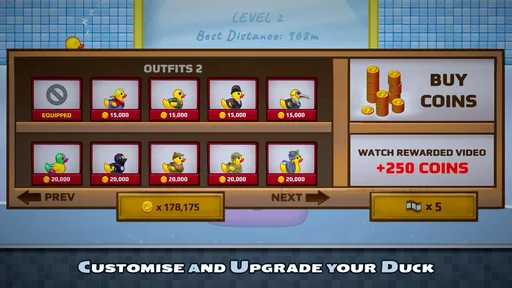
When I first opened it, I was greeted with vibrant graphics and a catchy beach vibe soundtrack that immediately set the scene. The interface is clean and intuitive, making it easy to jump right into the action. You can choose your surfer, customize their look with a range of funky outfits, and even pick your surfboard. The customization options are a nice touch, adding a bit of personality to your surfing experience.
Gameplay Dynamics
The core of this game is all about timing and precision. You swipe and tap to catch waves, perform tricks, and avoid obstacles like pesky seagulls and sudden rocks. It’s simple but addictive. The game features a series of challenges and levels that gradually increase in difficulty, keeping you on your toes. I found myself repeatedly trying to nail that perfect 360 spin or desperately avoiding a wipeout.
The controls are responsive, which is crucial for a game that relies on quick reflexes. However, there were moments when the touch controls felt a bit too sensitive, causing my surfer to take a nosedive when I was aiming for a gnarly trick. It’s a minor hiccup but something to be aware of as you get started.
Visuals and Sound
I have to say, the visuals really shine. The game features stunning beach landscapes and realistic wave animations that make you feel like you’re right there in the surf. The colors are bright and engaging, which adds to the overall appeal. Pair that with the upbeat soundtrack and you’ve got a game that’s easy to get lost in for hours.
The sound effects are spot-on too. From the swoosh of the waves to the cheers of the crowd, everything works together to create an immersive experience. Just make sure you have your headphones on to fully enjoy the audio details.
Challenges and Rewards
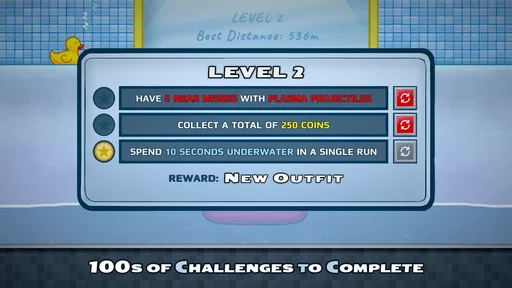
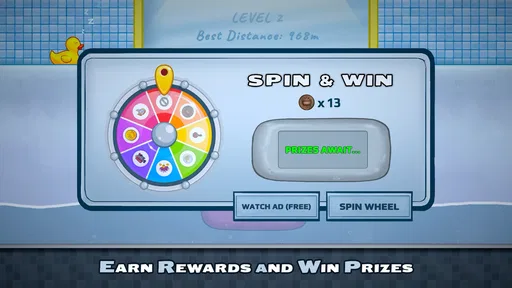
One of the things I love about this game is the variety of challenges. Whether you’re trying to beat your high score, unlock new gear, or complete daily missions, there’s always something to strive for. The rewards system is generous, offering plenty of incentives to keep playing. And let’s be honest, who doesn’t love a bit of digital bling for their efforts?
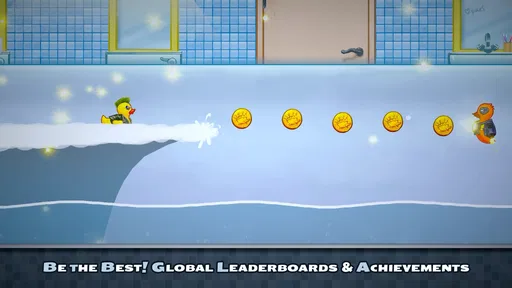
Another cool feature is the global leaderboard. It’s always fun to see how you stack up against other players from around the world. Plus, it adds a competitive edge that can be pretty motivating.
Final Thoughts
Overall, it’s a refreshing addition to the mobile gaming world. It’s perfect for those who love a bit of action and don’t mind getting swept up in the excitement of virtual surfing. While it’s not without its minor flaws, the engaging gameplay and stunning visuals more than make up for it.
If you haven’t already, I’d definitely recommend giving it a try. Just beware—it might make you want to pack your bags and head to the nearest beach for some real-life surfing!
Pros
- Intuitive controls make surfing easy.
- Vibrant graphics enhance gameplay experience.
- Multiple levels keep challenges fresh.
- Customizable surfboards add personalization.
- Engaging soundtrack complements the game.
Cons
- In-app purchases can be costly.
- Advertisements interrupt gameplay.
- Requires stable internet connection.
- Limited offline play options.
- Some levels may feel repetitive.
FAQs for Total Washout: Surf Arcade
What is Total Washout: Surf Arcade about?
Total Washout: Surf Arcade is a thrilling mobile game that immerses you in the world of surfing. Players can ride epic waves, perform incredible tricks, and compete in various challenges. The game features vibrant graphics, intuitive controls, and a range of surfboards to unlock, making it an engaging experience for both casual and competitive players.
Is Total Washout: Surf Arcade free to play?
Yes, Total Washout: Surf Arcade is free to download and play. However, it includes in-app purchases that allow players to unlock additional features, surfboards, and customization options. While you can enjoy the game without spending money, some players may choose to make purchases to enhance their gameplay experience.
What are the device requirements for Total Washout: Surf Arcade?
Total Washout: Surf Arcade requires a device running Android 5.0 or iOS 10.0 and above. It is optimized for both smartphones and tablets, ensuring smooth gameplay across different screen sizes. For the best experience, ensure your device has sufficient storage space and a stable internet connection for online features.
Does Total Washout: Surf Arcade require an internet connection?
While you can play some parts of Total Washout: Surf Arcade offline, an internet connection is recommended to access all features, including online leaderboards, multiplayer mode, and regular updates. Playing online ensures you can compete against friends and track your progress on global leaderboards.
How can I improve my skills in Total Washout: Surf Arcade?
Improving your skills in Total Washout: Surf Arcade involves practicing regularly to master the controls and timing of tricks. Utilize the tutorial mode to learn new techniques and explore different surfboards to find one that suits your style. Joining online communities can also provide tips and strategies from experienced players.


